PythonでMapLibre GL JSを
用いたWebGISを作ってみよう
ぴっかりん (@ra0kley)
はじめに
- 本発表は、所属会社で行っていることではななく、個人で使ってみた
ライブラリに関する発表になります - 本資料は、生成AIによるコーディングで作成されています。確認はしていますが、誤りなどがあるかもしれません。
発表内容
- 自己紹介
- MapLibre GL JSとは?
- MapLibre GL JSをPythonで扱うモチベーション
- インストール方法
- 基本的な使い方
- デモ(使い方の例)
- まとめ
自己紹介
- 本名: 青木 亮祐(あおき りょうすけ)
- 出身: 静岡県東部地域
- 趣味: 地理空間情報と戯れる、ラジオを聴く、散歩、旅行…
- 推し: 鬼頭明里さん(声優/アーティスト)、すそのん(ゆるキャラ)
ぴっかりん(@ra0kley)でX(旧Twitter)をやっています
MapLibre GL JSとは?
オープンソースのJavaScript地図ライブラリ
「Mapbox GL JS」という地図ライブラリがライセンス変更を
契機にオープンソースフォークとして誕生
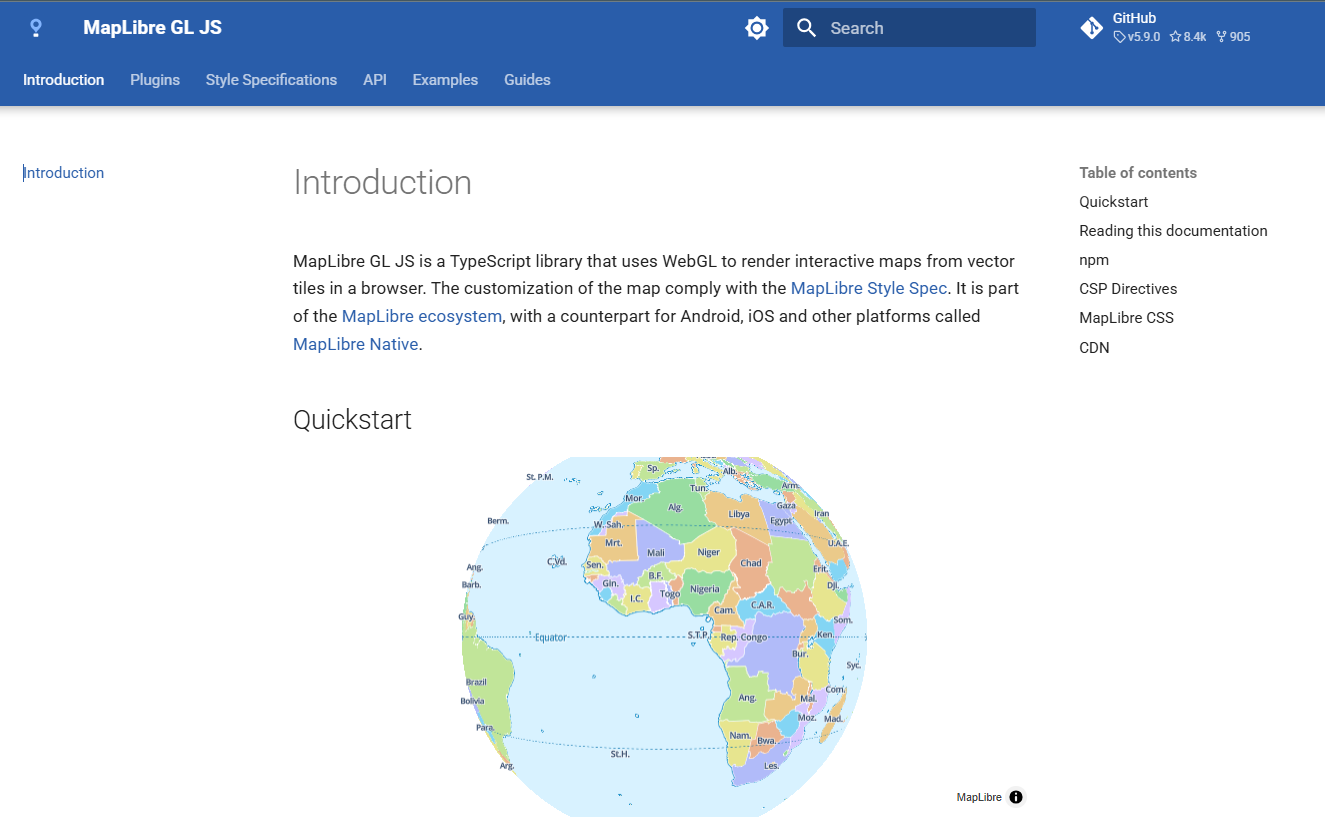
MapLibre GL JSとは?
詳しく知りたい方は、以下のZenn本がオススメ!
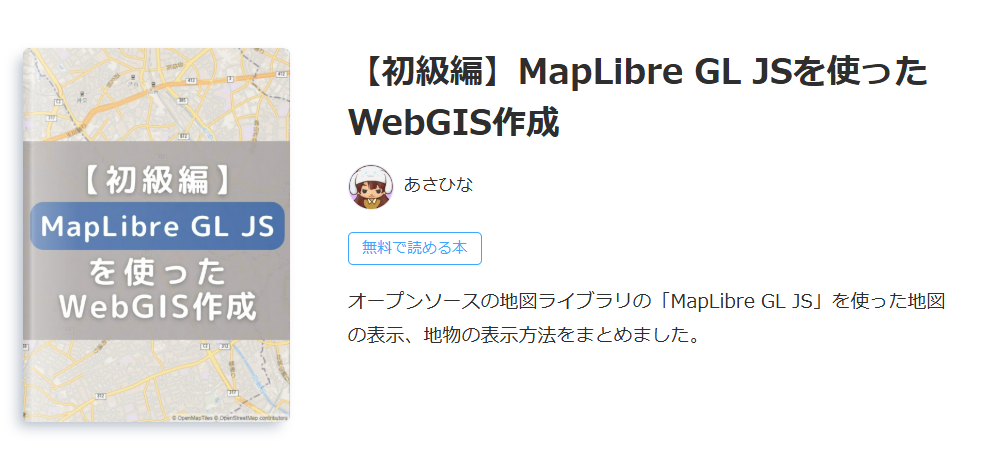
MapLibre GL JSをPythonで扱うモチベーション
- Pythonは、GISデータのダウンロードや解析を行えるライブラリあり、
可視化まで行えるワークフローが構築可能
- 発表者自身が、深層学習モデルの開発を仕事で行っており、他の部署で
フロントエンド部分を開発している
しかし、人的リソースの関係から簡単なビューアを開発することもある
→ Pythonで簡単にフロントエンドが構築できると嬉しい!
MapLibre for Pythonとは?
- MapLibre GL JSのPythonバイディング
→ PythonでMapLibre GL JSを使えるようにしたライブラリ
- Jupyter NotebookやShiny(ダッシュボード作成用フレームワーク)、
Streamlit(Webアプリケーション作成用のフレームワーク)などと一緒に
使うことを想定して作成されている
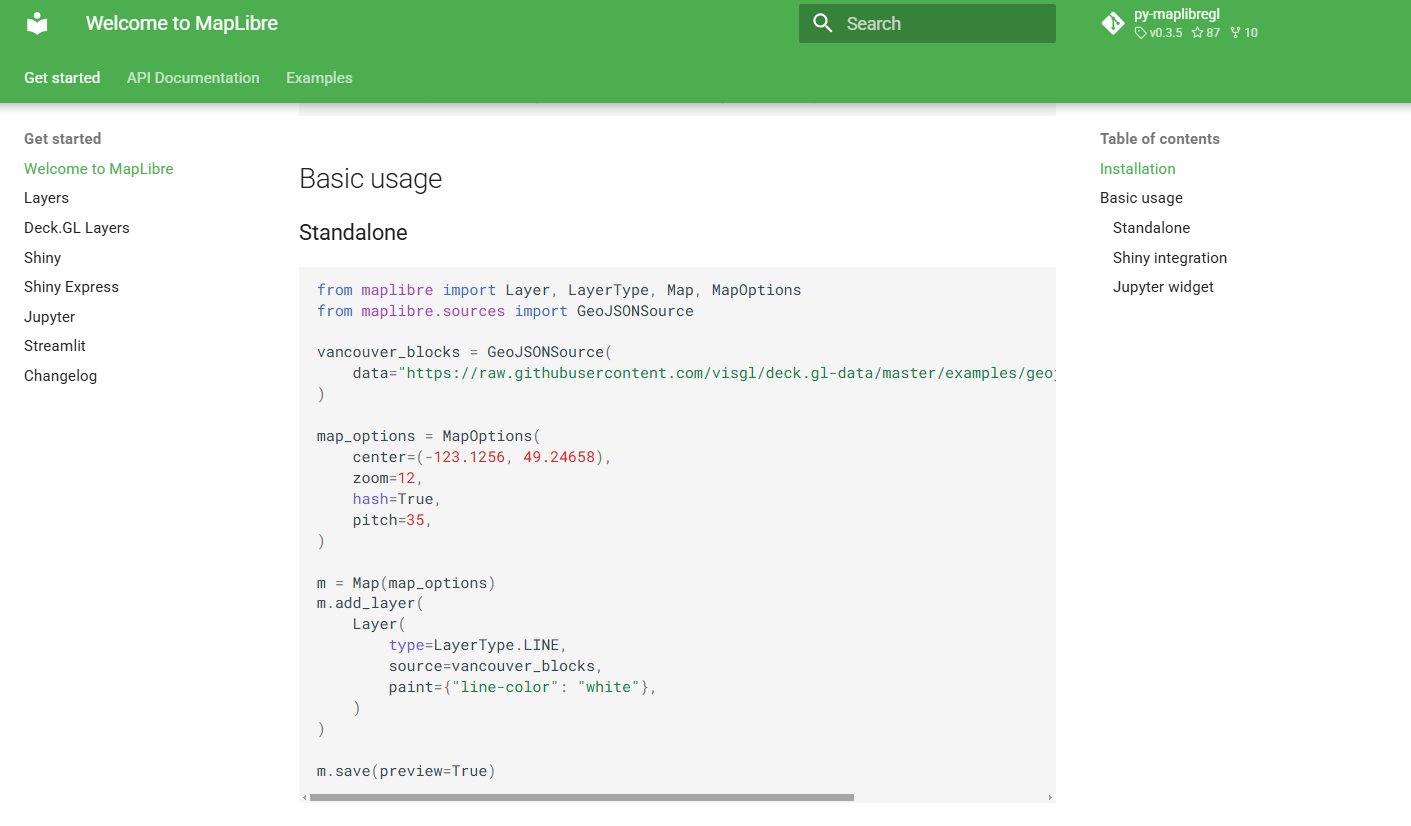
インストール方法
pipやuv、pixiといったPythonのパッケージ管理ソフトを用いてインストール可能
→ 依存関係が複雑なため、仮想環境を新しく作るのがオススメ
→ gdalを一緒に使いたい場合は、pixiがオススメ
uvでインストールする場合
pixiでインストールする場合
基本的な使い方
以下のPythonスクリプトを実行すると、地図を表示するHTMLが保存される
(専修大学 生田キャンパス周辺を表示)
from maplibre import Map, MapOptions

# 最初に表示する場所やズームレベル、ピッチなどを設定
# 地図のスタイルとして、OpenStreetMapのライトテーマを指定
map_options = MapOptions(
    center=(139.5544361, 35.6112653),
    zoom=17,
    hash=True,
    style='https://tile.openstreetmap.jp/styles/osm-bright-ja/style.json',
    pitch=60,
)

# 表示条件を地図に反映
m = Map(map_options)

# HTMLファイルとして保存
temp_file = './01_basic_usage.html'
with open(temp_file, "w") as f:
    f.write(m.to_html())
基本的な使い方
以下のようなHTMLが生成されます
(正直、中身は分かっていないです 350行くらいある。。。) 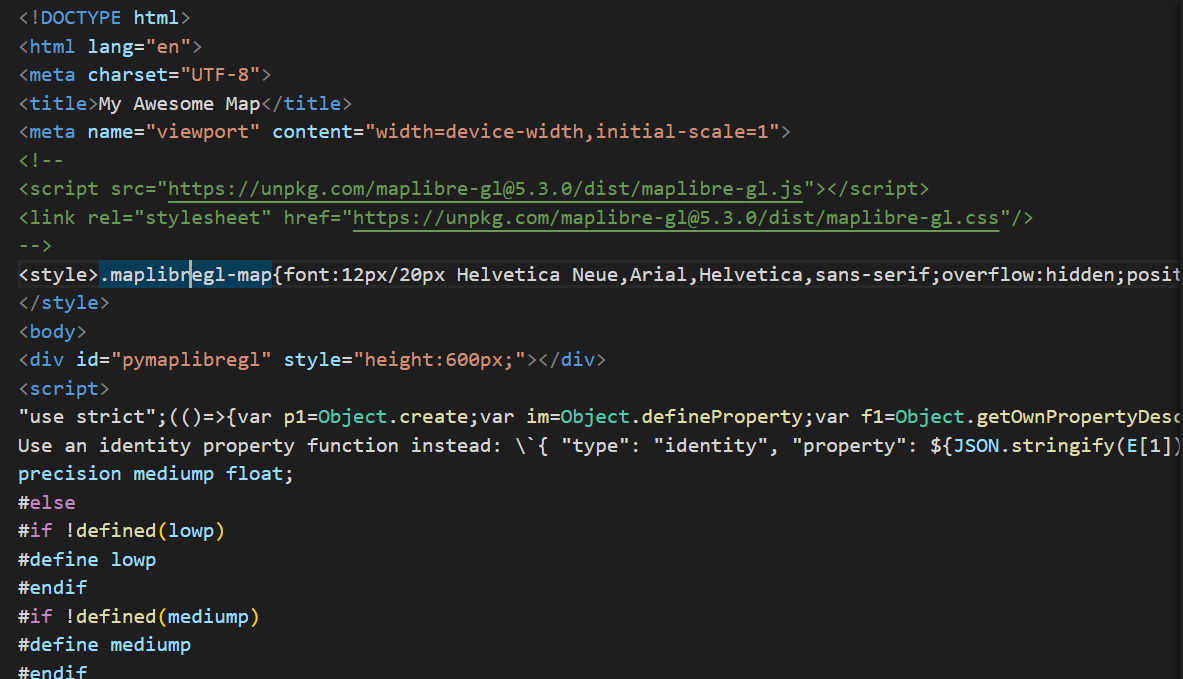
基本的な使い方
ブラウザでHTMLを開くと・・・
MapLibre GL JSで作られたWeb地図が表示された!!
デモ(使い方の例)
MVT形式のProject PLATEAUのデータを表示
Pythonスクリプト
from maplibre import Layer, LayerType, Map, MapOptions

# MapLibre GL JSで使用するスタイルの設定をdictで記載
style = {
    "version": 8,  # MapLibre Style Spec v8
    "sources": {
        "background-osm-raster": {
            "type": "raster",
            "tiles": [
                "https://tile.openstreetmap.jp/styles/osm-bright-ja/{z}/{x}/{y}.png"
            ],
            "tileSize": 256,
            "attribution": "<a href='https://www.openstreetmap.org/copyright' target='_blank'>© OpenStreetMap contributors</a>",
        },
        "plateau-bldg": {
            "type": "vector",
            "tiles": [
                "https://indigo-lab.github.io/plateau-lod2-mvt/{z}/{x}/{y}.pbf"
            ],
            "minzoom": 10,
            "maxzoom": 16,
            "attribution": "<a href='https://github.com/indigo-lab/plateau-lod2-mvt'>plateau-lod2-mvt by indigo-lab</a> (<a href='https://www.mlit.go.jp/plateau/'>国土交通省 Project PLATEAU</a> のデータを加工して作成)",
        },
    },
    "layers": [
        {
            "id": "background-osm-raster",
            "type": "raster",
            "source": "background-osm-raster",
        },
        {
            "id": "bldg",
            "type": "fill-extrusion",
            "source": "plateau-bldg",
            "source-layer": "bldg",  # MVT内のレイヤ名
            "paint": {
                "fill-extrusion-height": ["*", ["get", "z"], 1],  # 属性zを高さに
                "fill-extrusion-color": "#797979",
                "fill-extrusion-opacity": 0.7,
            },
        },
    ],
}

# 地図の初期表示のオプション(緯度経度やズームレベル、ピッチなど)
opts = MapOptions(
    style=style,
    center=(139.7024, 35.6598),
    zoom=16,
    pitch=60,
    bearing=0,
)

# 地図オブジェクトの作成
m = Map(opts)

# HTMLに書き出す
save_path = "../html/demo_mvt_plateau.html"
with open(save_path, "w", encoding="utf-8") as f:
    f.write(m.to_html())
デモ(使い方の例)
MVT形式のProject PLATEAUのデータを表示
作成されたWeb地図
デモ(使い方の例)
PMTiles形式の登記所備付地図のデータを表示
Pythonスクリプト
from maplibre import Map, MapOptions

# MapLibre GL JSで使用するスタイルの設定をdictで記載

style = {
    "version": 8,
    "sources": {
        "background-osm-raster": {
            "type": "raster",
            "tiles": [
                "https://tile.openstreetmap.jp/styles/osm-bright-ja/{z}/{x}/{y}.png"
            ],
            "tileSize": 256,
            "attribution": "<a href='https://www.openstreetmap.org/copyright' target='_blank'>© OpenStreetMap contributors</a>",
        },
        "amx-a-pmtiles": {
            "type": "vector",
            "minzoom": 2,
            "maxzoom": 16,
            # pmtiles: スキーマを使用
            "url": "pmtiles://https://habs.rad.naro.go.jp/spatial_data/amx/a.pmtiles",
            "attribution": "<a href='https://www.moj.go.jp/MINJI/minji05_00494.html' target='_blank'>登記所備付地図データ(法務省)</a>",
        },
    },
    "layers": [
        {
            "id": "background-osm-raster",
            "type": "raster",
            "source": "background-osm-raster",
        },
        # 登記所備付地図データ(筆ポリゴン)
        {
            "id": "amx-a-fude",
            "type": "fill",
            "source": "amx-a-pmtiles",
            "source-layer": "fude",
            "paint": {
                "fill-color": "rgba(254, 217, 192, 1)",
                "fill-outline-color": "rgba(255, 0, 0, 1)",
                "fill-opacity": 0.4,
            },
        },
        # 代表点レイヤ(ヒートマップ)
        {
            "id": "amx-a-daihyo",
            "type": "heatmap",
            "source": "amx-a-pmtiles",
            "source-layer": "daihyo",
            "paint": {
                "heatmap-color": [
                    "interpolate", ["linear"], ["heatmap-density"],
                    0, "rgba(255, 255, 255, 0)",
                    0.5, "rgba(255, 255, 0, 0.5)",
                    1, "rgba(255, 0, 0, 0.5)"
                ],
                "heatmap-radius": [
                    "interpolate", ["exponential", 10], ["zoom"],
                    2, 5,
                    14, 50
                ],
            },
        },
    ],
}

# 地図の初期表示のオプション(緯度経度やズームレベル、ピッチなど)
m = Map(MapOptions(
    style=style,
    center=(139.7024, 35.6598),
    zoom=16,
    pitch=0,
    bearing=0,
))


# HTMLとして保存
with open("../html/demo_pmtiles_amx_project.html", "w", encoding="utf-8") as f:
    f.write(m.to_html())
デモ(使い方の例)
PMTiles形式の登記所備付地図のデータを表示
作成されたWeb地図
デモ(使い方の例)
leafmap という地理空間情報データの可視化や簡単な解析を容易にできるPythonライブラリにも
「Maplibre fot Python」が使われています
AIと連携した地図表示(AIエージェント)も作ることが可能!!
結局、何の発表かよく分からいと思います
Zenn本のPython版を執筆したいと思います(宣言) 詳しくはそちらで!
まとめ
- MapLibre GL JSのPythonバイディングが登場し、Pythonで比較的モダンなWeb地図が作れるように
- deck.glのレイヤーを表示したり、PMTilesの表示も可能
- leafmapを用いれば、さらにAIとの連携などの可能
Pythonでデータ処理を行っていた方も、この際にぜひフロントエンドに
触れてみてください!!
FOSS4G 2025 Japan